
Table of Contents
- Introduction: The Rise of AI in Art
- What Is an AI Painting Generator?
- How AI Painting Generators Work
- Top AI Painting Generators to Try
- Tips to Get Better Results
- Integrating AI-Generated Art with Your Fonts & Brand
- Limitations and Ethical Considerations
- Conclusion
- References
1. Introduction: The Rise of AI Painting Generator in Art
In the past few years, artificial intelligence has deeply infiltrated creative fields like writing, music, and graphic design. Among its most fascinating applications is the ability to generate original paintings from mere textual prompts or reference images. These systems, known as AI painting generators, empower creators to produce artwork at scale, explore novel visual styles, and reimagine the boundaries of digital art.
For a team like yours, which designs and sells unique fonts at Edric Studio, AI Painting Generator artwork can be a valuable companion. It can help you prototype visual branding concepts, create inspirational backgrounds, or discover new artistic directions to pair with your font collections.
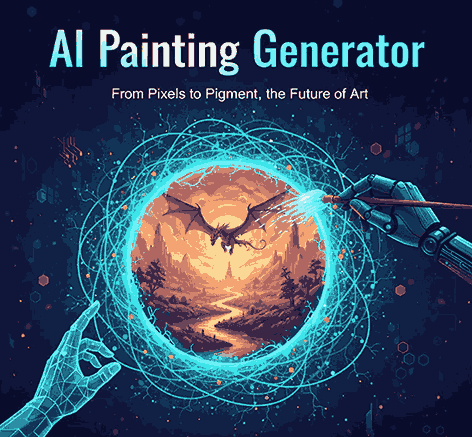
2. What Is an AI Painting Generator?
An AI painting generator is a software or system that translates natural language prompts, sketches, or reference images into stylized artworks. Unlike basic image filters or style transfer alone, these generators often produce entirely novel compositions, textures, colors, and forms.
They blend machine learning models (e.g. diffusion models, GANs) with artistic priors to output images that resemble traditional painting styles — such as watercolor, oil, fresco, abstract, or impressionistic renditions.
Adobe’s Firefly, for example, markets a Text-to-Image feature that lets users “turn words into artwork,” supporting styles like oil painting, abstract, or mixed media.
These generators are often trained on large datasets of licensed or public domain artwork, ensuring that the generated images are safe for commercial use in many cases. For example, Adobe Firefly is built on images from Adobe Stock and public domain sources.
3. How AI Painting Generators Work
Here’s a simplified outline of their inner mechanics:
- Prompt & Input
You provide a textual description (e.g. “sunset over misty forest with soft brush strokes”) or a reference image / sketch. - Latent Mapping & Noise Seeding
The system encodes the prompt or image into a latent space and initializes a random noise map. - Iterative Denoising / Diffusion
Through multiple steps, the model denoises and refines the image from noise, guided by the semantics of your prompt. - Style Conditioning
Additional style or medium instructions (e.g. “watercolor,” “oil paint”) influence the visual texture, brush pattern, and color transitions. - Post-processing & Refinement
The model or a secondary module sharpens, balances lighting, corrects color, or even lets you tweak sections.
Because of this layered approach, you can often influence output by adjusting prompt wording, specifying style modifiers, or giving negative prompt constraints (e.g. “no text,” “no harsh lines”).
4. Top AI Painting Generators to Try
Here are some noteworthy tools and platforms in 2025:
- Adobe Firefly
Offers robust text-to-image and generative fill features, with an emphasis on artist safety and commercial licensing. - Fotor AI Image Generator
Supports styles like concept art, sketch, oil painting, digital art, and more. - Canva AI Art Generator
Integrates with Canva’s design platform, letting users generate artworks inside an existing graphic workflow. - Magic Studio (AI Art Generator)
Free, no login required, and fast generation of artworks from text. - StarryAI
You can generate free daily artworks; premium plans unlock higher quality and more control. - ImagineArt
A generative suite with image, video, and multimodal capabilities.
Additionally, some platforms like Midjourney, DALL-E, Stable Diffusion, and newer models also function as painting generators or support painting styles.
5. Tips to Get Better Results
To maximize the artistic quality and relevance of your generated artwork, try these strategies:
- Be specific in prompt writing — mention mood, palette, lighting, composition, and medium.
- Use style tokens / adjectives — e.g. “oil painting, textured brushwork, warm tones, soft focus.”
- Include negative prompts — specify elements you don’t want (e.g. “no eyes,” “no text overlay”).
- Iterate & refine — don’t stop at the first version; adjust prompt or style attributes.
- Combine prompt + reference image — give the model both description and sample to bias toward your visual direction.
- Post-edit — import the generated painting into software like Photoshop or Procreate to adjust color, crop, or layer with your own elements.
- Mind composition & balance — AI may produce odd layouts; trim or reposition focal elements manually.
By combining AI generation with human curation, you can elevate raw outputs into polished visuals.
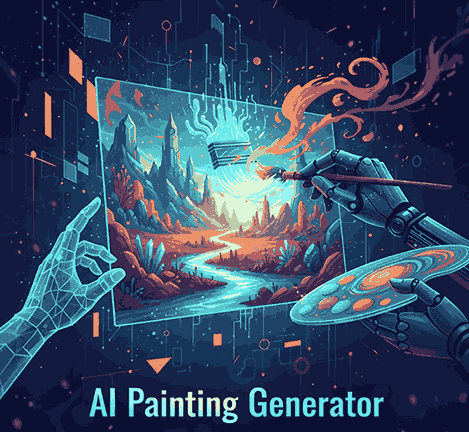
6. Integrating AI Painting Generator Art with Your Fonts & Brand
AI paintings by themselves are compelling, but when harmonized with your font designs and brand identity, they become powerful visual assets. Here’s how to merge them:
- Use AI paintings as backgrounds or textures behind typographic overlays using your fonts.
- Generate art in a style that complements your font aesthetic (e.g. vintage watercolor paired with a serif font).
- Showcase mockups combining fonts + AI art. For example:
- Use AI-generated concept art to inspire new font styles or decorative ligatures.
- Package font + themed artwork bundles for customers (e.g. matching art wallpapers + font license).
This synergy positions your offerings not just as typefaces but as comprehensive visual branding sets.
7. Limitations and Ethical Considerations
While AI painting generators are powerful, they come with constraints and responsibilities:
- Originality & training bias: The model may blend or mimic styles from training data, risking derivative visuals.
- Inconsistent elements: Hands, faces, text inside art often appear warped or unnatural.
- Lack of narrative depth: AI often misses subtle symbolism or storytelling nuance.
- Licensing ambiguity: Always check whether the tool permits commercial use of outputs.
- Ethical / attribution concerns: Some art may inadvertently resemble existing works; ensure you adjust or transform enough to be legally safe.
- Resource & cost constraints: Premium models or high-resolution downloads may cost money or credits.
By combining AI with human oversight, creative editing, and ethical diligence, you can mitigate these challenges.
8. Conclusion AI Painting Generator
The AI painting generator is an extraordinary tool in the modern creative arsenal. It can accelerate concepting, inspire new visual directions, and assist branding workflows. But success lies in the marriage of AI’s generative power with human cultural, aesthetic, and branding judgment.
For your font studio, pairing AI art with your bespoke typefaces can produce immersive, unique design packages that captivate customers. Use generated artworks as creative fodder, backgrounds, or brand visuals — but always let your font craftsmanship lead the narrative.
