
Table of Contents
- Introduction: The Fusion of AI & Design
- What Is Generative Design AI?
- How Generative Design AI Works
- Key Applications Across Industries
- Advantages and Limitations
- Practical Tips for Designers and Small Studios
- Case Study: From AI Concepts to Font Mockups
- Future Trends in Generative Design AI
- Conclusion
- References
1. Introduction: The Fusion of AI & Design
The intersection of artificial intelligence and creative design is no longer speculative — it’s happening now. Generative Design AI is transforming how designers conceptualize, iterate, and produce visual artifacts. From architecture and industrial parts to fonts, logos, and digital assets, AI-driven generative systems are enabling leaps in speed, variety, and experimentation.
For creative studios like yours, incorporating generative design AI may unlock new workflows, spark novel ideas, and complement human taste in ways previously unimaginable.

2. What Is Generative Design AI?
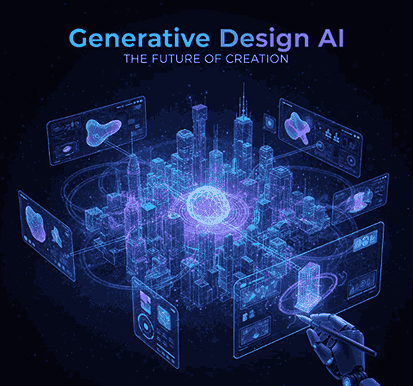
Generative design AI refers to computational systems that automatically generate design outputs (shapes, patterns, layouts, styles) based on constraints, inputs, and learned patterns. It’s a synergy of generative AI (models such as GANs, diffusion, transformers) and design optimization algorithms.
In essence, you supply goals, constraints, or stylistic guidelines, and the system produces multiple candidate designs. Designers then refine or select among those options.
Generative design (in the more classical CAD/engineering sense) is often about structural optimization under constraints. When fused with generative AI, the system may also learn from existing aesthetic data to propose novel stylistic ideas beyond purely mechanical optimization.
3. How Generative Design AI Works
Here’s a simplified breakdown of the typical pipeline:
- Input & constraints
You define objectives (e.g. shapes, proportions, spacing), constraints (e.g. size limits, negative space, contrast), and sometimes style references. - Generative algorithm / model
The system may use techniques like generative adversarial networks (GANs), diffusion models, variational autoencoders, optimization heuristics, or hybrid methods. - Iteration and exploration
The AI generates a large number of candidate designs, exploring variations within constraints. - Evaluation & filtering
The system may score candidates based on metrics (legibility, balance, contrast) or human preferences. - Refinement / human selection
Designers inspect, choose, or refine the proposals, possibly feeding them back to a further AI-driven pass.
This workflow allows designers to explore far more possibilities than manual sketching alone.
However, success depends heavily on quality of inputs, training data, and the interpretability of generated designs.
4. Key Applications Across Industries
Generative design AI is being used in many domains, some directly relevant to digital design and creative work:
- Architecture & construction
AI can propose spatial layouts, façade patterns, massing studies, or structural forms based on site constraints. - Industrial / product design
Designers optimize mechanical parts (weight, strength) while also exploring stylistic forms. - Media, graphics & typography
In creative fields, generative AI can assist with motif generation, font variation, logo directions, texture design, or pattern creation. - Marketing & branding
Automated generation of mockups, visual assets, and creative prototypes accelerates ideation.
For a font studio, one can imagine feeding in letterforms or style constraints and allowing the AI to propose alternate glyph variants, swashes, or decorative embellishments.
5. Advantages and Limitations
Advantages
- Speed & scale: AI can generate hundreds or thousands of variations in far less time than manual sketching.
- Exploration beyond bias: Generative systems may propose forms humans wouldn’t think of, expanding creative boundaries.
- Iteration-friendly: Easy to adjust constraints and re-run, enabling rapid prototyping.
- Hybrid synergy: AI supports the creative process rather than replacing the designer entirely.
Limitations & Challenges
- Quality & control: Without careful constraint, outputs can be messy or unusable.
- Data dependency: The AI’s output is only as good as the training data or design examples.
- Interpretability: Some proposals may be difficult to engineer or produce.
- Ethical / originality concerns: Risk of copying styles too closely or inadvertently infringing.
- Resource demands: Computation costs, model training, and tuning can be significant.
Researchers note that in engineering settings, generative models sometimes replicate past designs without true innovation. Also, in creative education, generative AI is more helpful in early ideation than precise final detailing.
6. Practical Tips for Designers and Small Studios
If your team is considering integrating generative design AI, here are some actionable suggestions:
- Start small: Pilot with a limited AI tool or plugin before full-scale adoption.
- Curate training data: Use high-quality examples aligned with your visual direction.
- Blend human + AI: Always keep a human in the loop — review, refine, and filter.
- Constraint with intention: Strong constraints help guide the AI toward usable results.
- Use mockups & prototypes: Test AI-generated ideas in real contexts early.
- Protect your IP: Be deliberate about which outputs become final assets, and track derivations.
- Iterate with feedback loops: Use evaluations or preference feedback to improve outcomes.
For a font studio, you could feed in base glyphs and constraint rules (stroke weight, x-height, serif vs sans) and let the AI propose variant sets. Then human review can pick out the gems.
7. Case Study: From AI Concepts to Font Mockups
Let’s imagine how generative design AI could integrate into Edric Studio’s font workflow:
- Input style direction
You provide base letterframes or stylistic constraints (e.g. “semi-condensed sans serif, medium weight, humanist stroke”) - Generate glyph alternatives
The AI suggests alternate letterforms or decorative variants - Selection & refinement
Designers pick promising proposals and tweak curves, spacing, or details - Mockup & context testing
Use mockups to visualize your chosen font in branding, posters, packaging- For example, showcase your fonts in live mockups like Rainster Handwriting Font
- Or Donellia Handwriting Font
- Also consider sans serif context like Airframe Sans Serif Font
- And display dynamic fonts like Furious Race Font
- Iterative learning
Feed back which styles you selected or rejected to further refine your AI tuning or future runs.
By doing this, you harness AI’s generative capacity while preserving human aesthetics and control.
8. Future Trends in Generative Design AI
As AI & design co-evolve, here’s what we may expect:
- Hybrid pipelines: Generative AI + physics-based simulation working in tandem.
- Real-time feedback loops: Designers adjusting sliders or prompts with immediate visual updates.
- Multimodal generation: Combine textual, image, and parametric inputs to guide design generation.
- Adaptive personal style models: AI learns your brand’s unique aesthetics over time.
- Better interpretability & control tools: Improved UI/UX tools to shape AI behavior.
- More democratization: As compute becomes cheaper, smaller studios and individuals will access powerful generative design tools.
The future is one where AI is a co-creator — not a replacement.
9. Conclusion
Generative design AI is reshaping the creative landscape. For font studios and visual design teams, it offers the potential to explore new forms, accelerate ideation, and elevate output. But success lies in the balance — combining AI’s generative power with human taste, judgment, and curation.
By experimenting carefully, refining your workflows, and protecting your creative vision, you can make generative design AI a powerful ally in your design arsenal.
10. References (Selected)
- Autodesk — “Generative design and generative AI will transform the way things are made.”
- McKinsey — “Generative AI tools can shorten physical product design life cycles significantly.”
- PTC — “Generative design is a 3D CAD capability that uses AI to autonomously create optimal designs.”
- Wikipedia — “Generative design is an iterative design process that uses software to generate outputs … by employing computing power to evaluate more design permutations …”
